The All-In-One Private Maps Connecting Those Who Matter Most
Be-Maps is a privacy-by-design application sharing on maps in your trusted Be-Maps Group: GeoShapes, Current Locations (with history), Proximity, Activities, Motion Detection & Remote Monitoring, DashCam, Alerts and intelligent safety features for families and trusted close friends. You can configure what you want to share.
In summary, you get Everything On One Map, connected to the other maps in your Be-Maps Group.
Whether you want to know when your child is at school or wandered too far away from you, check that someone reached home safely, know that motion was detected while you are sleeping or remotely in your home and see what triggered it, check your DashCam videos from the map, coordinate a family trip or simply stay informed, Be-Maps gives your private group a shared view of what matters — while keeping your data under your control.
Everything on One Map
Most applications solve one problem, Be-Maps brings everything together.
Instead of switching between multiple apps for location sharing, activity tracking, geofencing, security, alerts and history, Be-Maps displays everything on one interactive map shared only with your trusted Be-Maps Group.
Connected maps. One private group. One complete picture.
What Can You Do and Share?
Your private Be-Maps Group can securely share:
• 📍 Current locations,
• 🕒 Location history (up to 180 days),
• ⭕ GeoShapes (Places, Zones and Paths),
• 🔔 Alerts and emergency notifications,
• 💬 Messages and One Tap Tag,
• 📷 Alert photos,
• 🎤 Voice recordings,
• 📹 Videos,
• 🏃 Activities such as walking, running, cycling, driving and flight,
• 🚨 Motion Detection and Monitoring information,
• 🗺️ Google Maps navigation to shared locations.
Everything appears together on shared maps in that group's devices (as per set rules and privileges).
Everyday Life Made Easier & Safer
Personal, Friends and Family Safety
• Family Safety, know when children arrive safely at school. Receive spoken notifications when family members reach home. Review location history if needed.
• Waiting to be picked up? Simply check the shared map to see where the other person is and open Google Maps for instant directions to check estimated arrival time.
• Daily Coordination, remind yourself or someone to visit a shop on the way home. Know when somebody is nearby. Stay informed without making unnecessary phone calls.
• Quickly share alerts together with your location, photos, voice recordings and videos. Location history and activities help reconstruct events and support, rescue or search situations.
Be-Maps has powerful monitoring features designed for everyday home security:
• Motion detection alerts on the monitored device
• Automatic photo capture when motion is detected
• Automatic 30-second video recording of motion events
• Store captured photos and videos on the monitored device
• Share motion detection alerts, photos, videos
• Remotely monitor your property
Be-Maps can monitor your hotel room for movement. When motion is detected, the app can:
• On speaker spoken alert on the monitoring device.
• Save a photo of the event.
• Record a 30-second video.
• Notify selected members of your Be-Maps Group.
• Send captured photos and videos to approved remote devices.
This allows you or someone you trust to quickly see what triggered the alert.
Using a second approved device, you can remotely:
• View what is happening in your hotel room.
• Check what is happening in your home.
• Capture photos. Record video.
• Listen to surrounding audio (where permitted by local law).
• Send a pre-recorded voice message that will play through the speaker of the monitoring device.
These features are useful when you are away from your room and want to check that everything appears normal.
Quickly share alerts together with your location, photos, voice recordings and videos. Location history and activities help reconstruct events and support, rescue or search situations.Review location history to make sure everyone is safe.
While you travel Be-Maps can monitor your hotel room or home for movement. When motion is detected, the app can:
• On speaker spoken alert on the monitoring device.
• Save a photo of the event.
• Record a 30-second video.
• Notify selected members of your Be-Maps Group.
• Send captured photos and videos to approved remote devices.
This allows you or someone you trust to quickly see what triggered the alert.
Using a second approved device, you can remotely:
• Check what is happening in your home or hotel room.
• Capture photos, record video, listen to surrounding audio (where permitted by local law).
• Send a pre-recorded voice message that will play through the speaker of the monitoring device.
These features are useful when you are away from your room and want to check that everything appears normal.
Be-Maps data history helps reconstruct events and supports search and rescue situations.
Why People Choose Be-Maps
Introduction
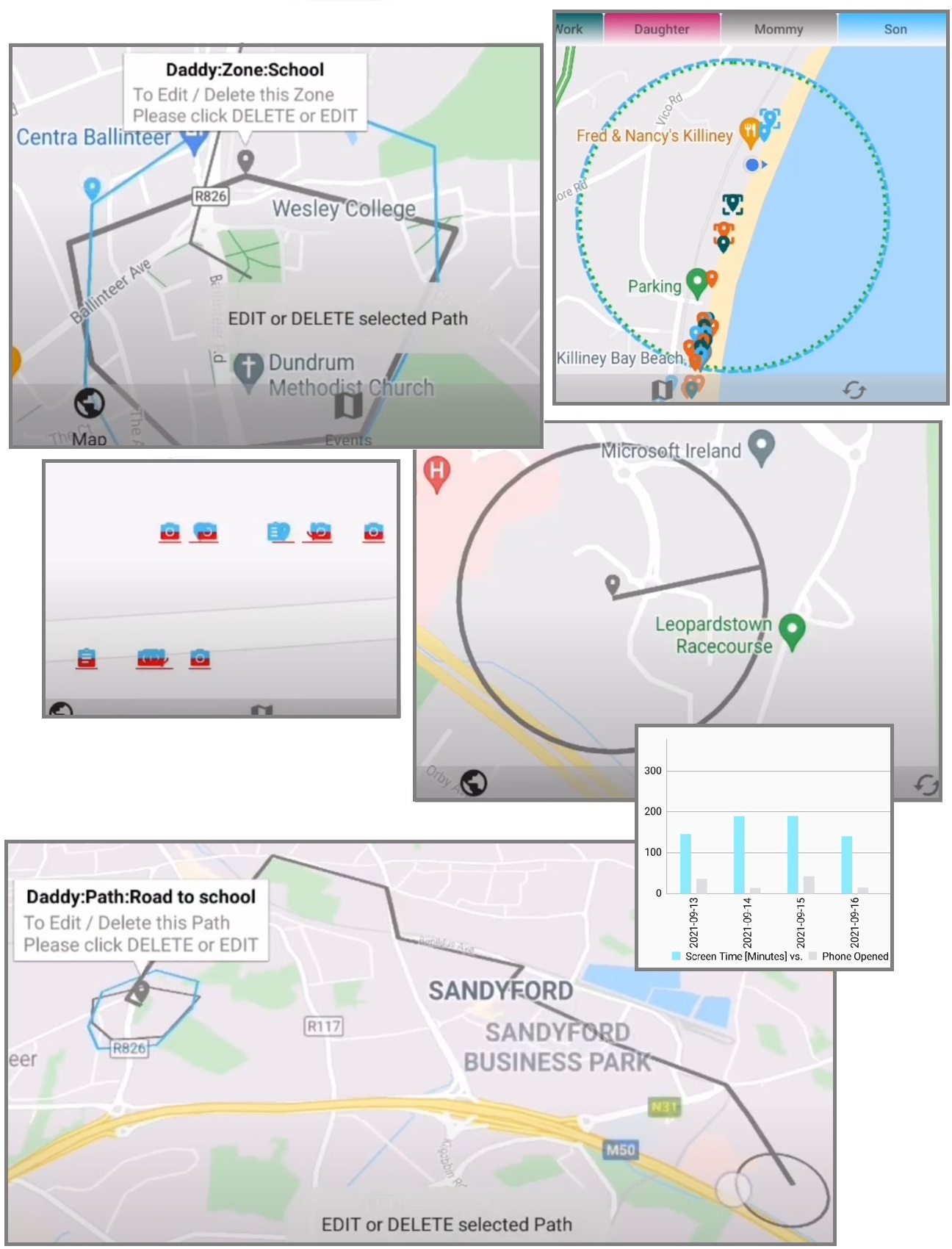
Be-Maps is an application which improves friends and family safety, help, find and rescue situations, and connects your close ones on the map. Very useful to increase location and safety awareness of one group of close relationships. It also helps to minimise the stress and the worrying factor (i.e. where is my mum or dad picking me up from school).
Main features include:
• opens Google directions to selected location marker
• on map alerts and geo-shape monitoring
• simple one-tap-geo-tags: I'm OK, I'm Late, I'm not OK
• on map messages: text, voice and video
• personal notes: voice and video
• device usage: monitoring and in GeoShape restrictions (i.e. when your kids overuse the phone)
Be-Maps can also exist on its own as a single stand-alone application for one person safety log.
In this case Be-Maps will only log alerts in mailbox, to view and communicate alerts to others, you and other people from your private group should install Be-Maps on their devices.
Privacy-first
Your information stays only in your private Be-Maps Group. Unlike many location sharing applications, Be-Maps does not have own servers and is designed so your shared data remains under your control.
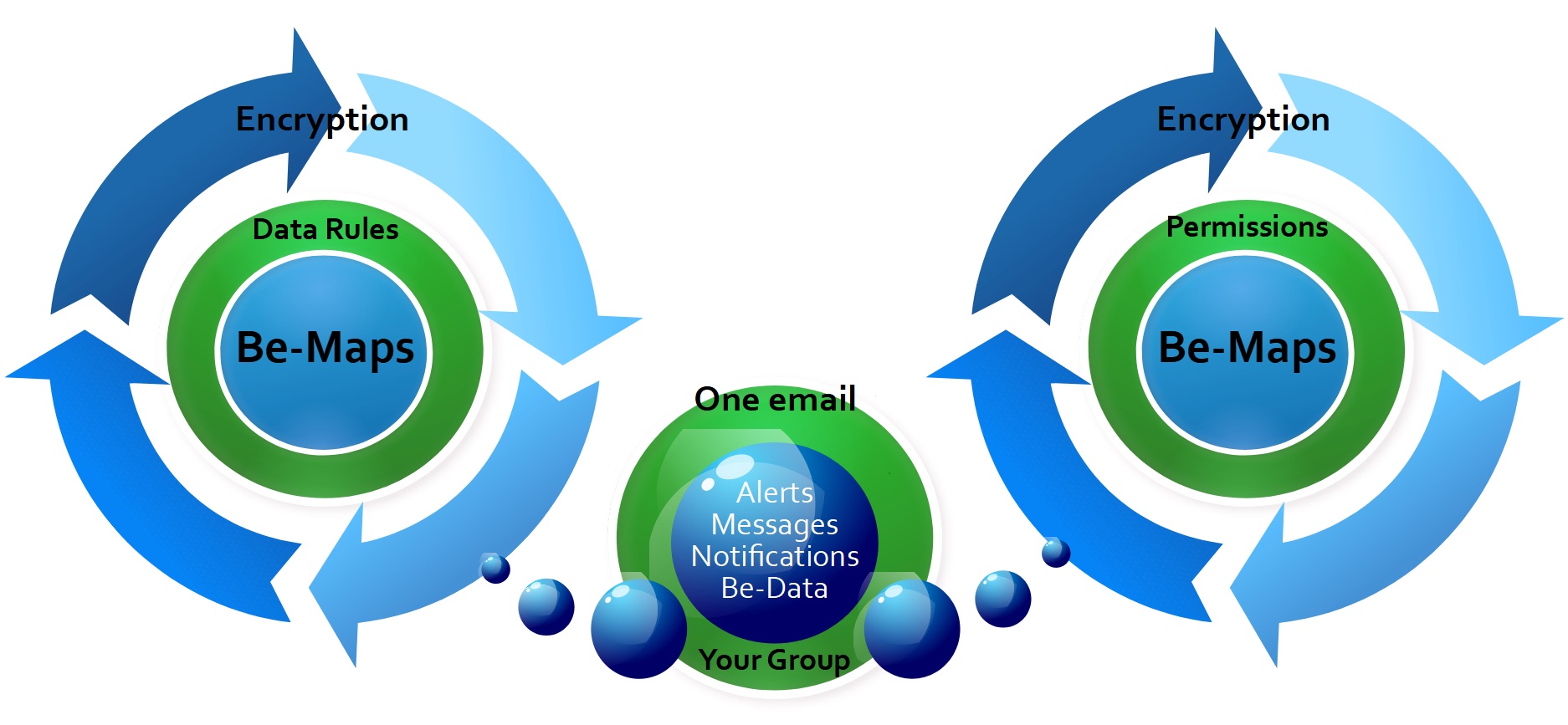
We have introduced data transfer and its processing based on private email of your group and their devices. One Be-Maps Group is using one dedicated email for all their Be-Maps data exchange.
Your group creates that single email, and nobody else has access to it. Your data are transferred via this Be-Maps email encrypted, are deleted from the email once received on the Be-Maps device, and are stored only on the device.
This means your data are yours, and stays only within your group.
We do not use any other system/server to store/process your private Be-Maps data.
Location Awareness
📍 Private Location Sharing
See where your family members and trusted friends are.
Know when someone is on the way, has arrived safely or may need assistance.
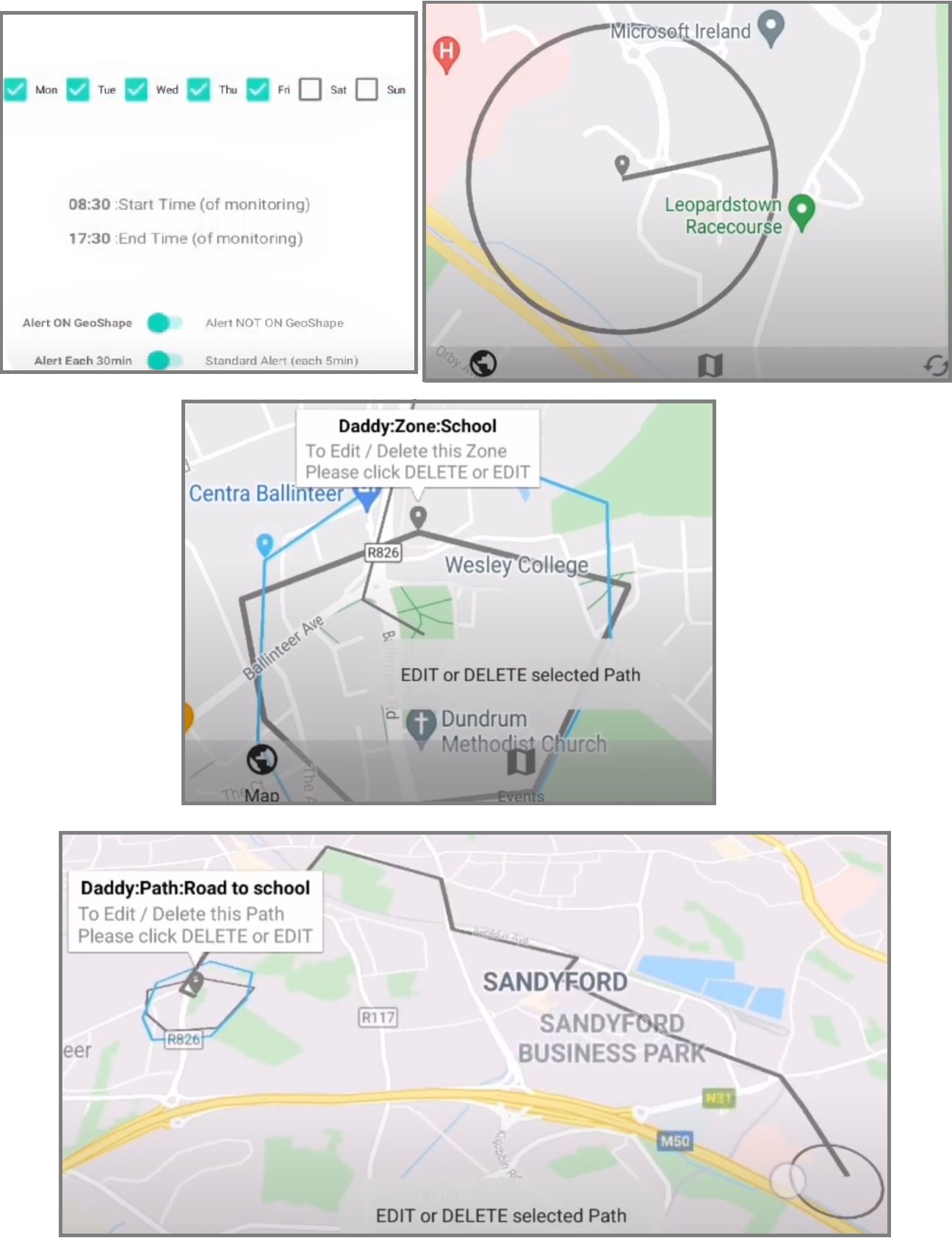
⭕ Smart GeoShapes
You can see on the Map View who is where. Define Places, Paths and Zones and be aware if people you care about are:
• on the way from work or school
• in the shop, not at school
• too close to a dangerous zone, not at home
This feature is for safety of you and your closest relationships and helps to minimise the worrying momentum of people who care about each-other (i.e. when somebody is late).
📏 Proximity & Visit
Know when someone moves too far away. Know when someone is nearby. Or visit reminders when you drive by a shop.
Receive automatic spoken notifications without constantly checking the map.
🏃 Shared Activities
See more than just a location.
Be-Maps records activities such as walking, cycling, driving and flights together with speed, distance and step count to provide valuable context.
🔔 Intelligent Alerts
Share alerts, messages, photos, voice recordings and videos linked directly to their locations.
Everyone in your private group immediately understands where something happened.
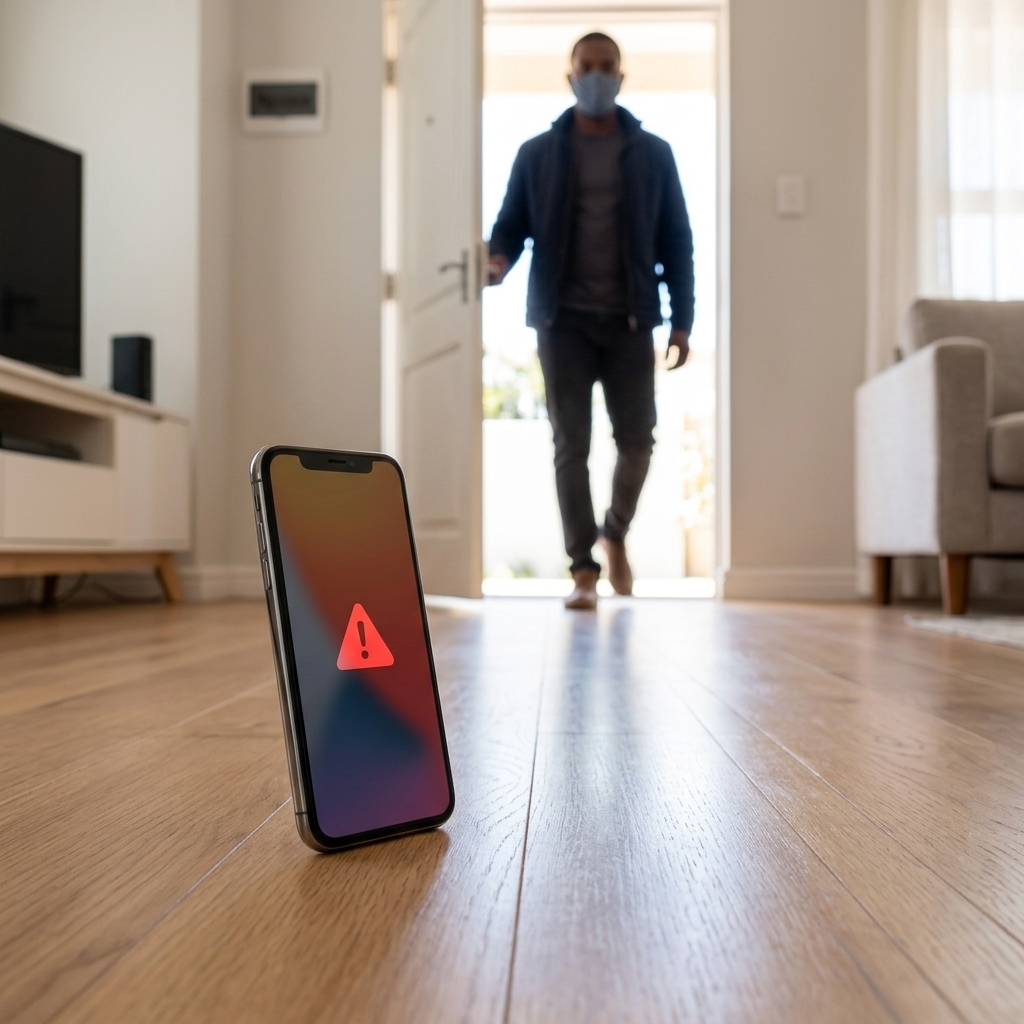
Monitoring on maps
🚨 Motion Detection
Detects movement in your home or your hotel room using your device's camera.
Automatically saves photos when motion is detected and next records a short video. Sends these data to the allowed devices.
🔔 Motion Alerts
Sounds and/or sends an alert when motion is detected.
Remote Notifications: Sends motion alerts, photos and videos to your approved Be-Maps devices.
📹 Remote Monitoring
View your home or your hotel room remotely using another approved device.
Capture photos remotely from the monitoring device. Record video or surrounding remotely using the monitoring device.
🔊 Remote Voice Message
Record your voice message and play it remotely through the monitoring device's speaker.
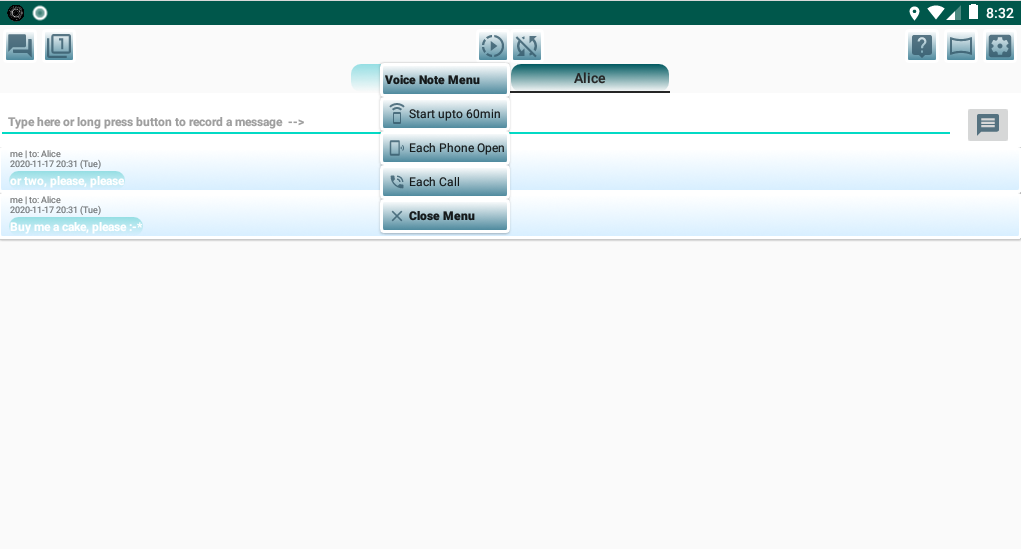
Voice Notes
Useful to keep track all of the information through the day (meetings, your ideas).
Voice Notes are triggered by:
• Notification
• phone open
• in app menu
Voice notes can be turned on/off from App and Notification.
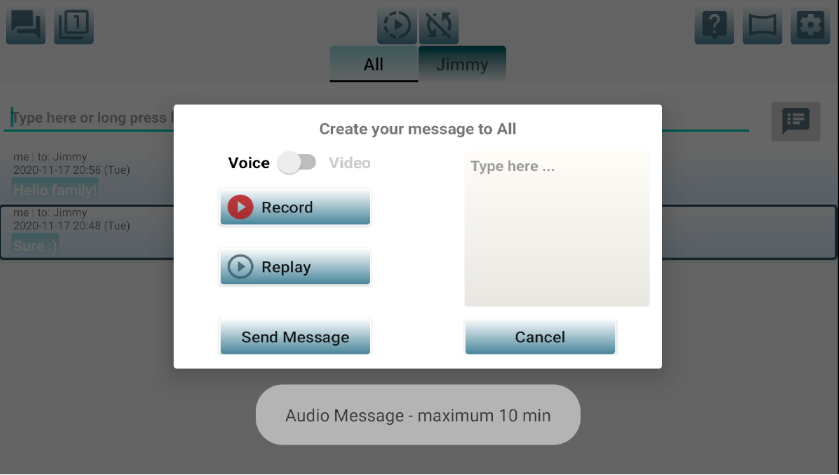
Multimedia Messages
We take messaging to the next level, in Be-Maps you can send text and recorded message as one.
Use Be-Maps text messages with attached voice message or video message to be in touch with your close ones.
Your message content is encrypted.
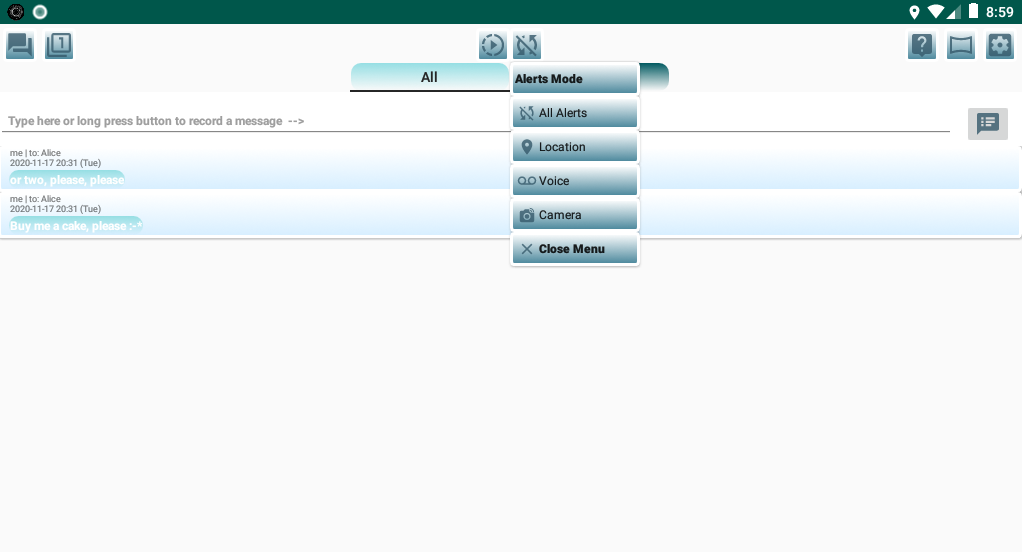
Alerts and Safety Monitoring
This feature is for safety awareness between the users.
In Alert mode phone will record voice, log locations, make pictures every minute.
Based on settings the alert data might be saved in email, Be-Maps Notes and Be-Maps.
Turned on by:
• application
• notification
• combination press of Power Button
Security and Safety of your data
Be-Maps application uses SSL/TLS connection (whenever your e-mail account provider supports it) and data transmitted between devices are additionally encrypted.
Data are shared ONLY between the devices within your setup, data from devices are not transferred to us nor processed by us.
Be-Maps uses only your dedicated Be-Maps email to transfer your data to devices within your Be-Maps Group.
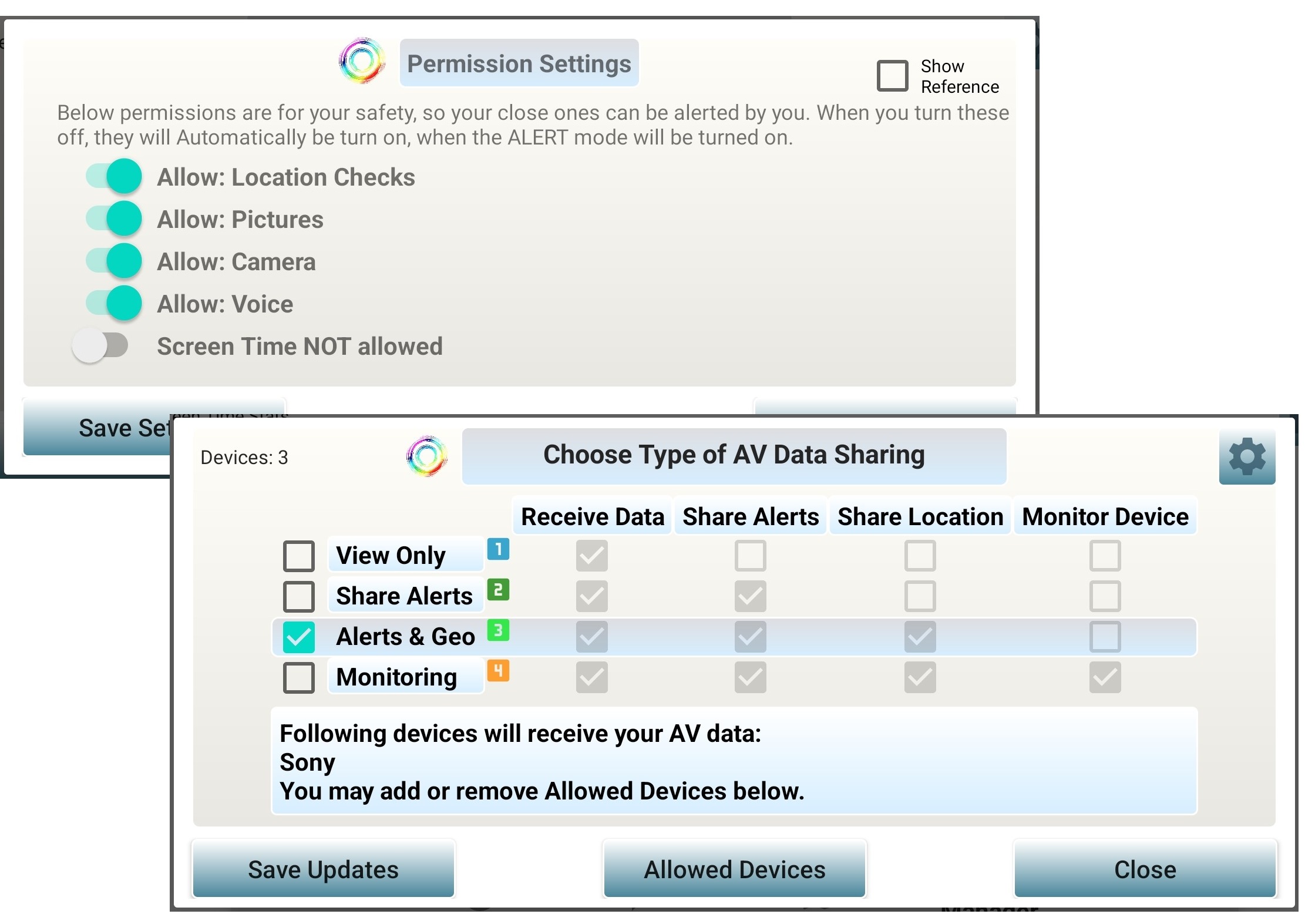
Be-Maps Permissions and Rules restrict data distribution between your group devices as per privileges and rules defined.
Why Be-Maps Is Different
Your data are not processed or stored on our servers, thanks to device to device transfer via email.
Most location sharing applications focus only on showing where people are.
Be-Maps goes much further by combining private location sharing with intelligent map-based information.
| Be-Maps Feature |
What it Does |
| Location Sharing |
✔ Yes |
| Shared Activities |
✔ Yes |
| Location History |
✔ Yes |
| GeoShapes (Advanced Geofences) |
✔ Yes |
| Visit GeoShapes |
✔ Yes |
| Proximity (Distance Alerts) |
✔ Yes |
| DashCam |
✔ Yes |
| Alert Photos, Voice & Video |
✔ Yes |
| Motion Detection |
✔ Yes |
| Remote Monitoring |
✔ Yes |
| Navigation | Google Maps Directions |
✔ Yes |
| Privacy-First Architecture |
✔ Yes |
Privacy Matters
Privacy is one of the fundamental design principles of Be-Maps.
Unlike many location sharing applications, Be-Maps does not process or store your data on Be-Maps servers.
Locations, GeoShapes, activities, photos, recordings, alerts and other shared information are exchanged directly between the devices belonging to your private Be-Maps Group using your own dedicated group email.
This means:
• Your shared information remains under your control.
• Be-Maps cannot view any of your data.
• Be-Maps does not have access to your devices.
• Be-Maps does not have access to your email account.
• Your information remains private within your trusted group.
Perfect For
• Families
• Parents
• Couples
• Friends
• Caregivers
• Outdoor activities
• Travellers
• Small teams
• Personal safety
• Home & hotel safety
• Everyday coordination
Explore Be-Maps
Learn more about the features that make Be-Maps unique:
• Data privacy
• Maps Sharing
• GeoShapes
• Activities
• Alerts
• Monitoring
• Privacy
• Google Maps Integration
• Be-Maps Group
Frequently Asked Questions:
What is Be-Maps?
Be-Maps is a privacy-first location sharing, friends and family safety application, that allows trusted groups to securely share locations, GeoShapes, activities, monitoring data, alerts and other map-related information on one shared map.
Who is Be-Maps designed for?
Be-Maps is designed for families, close friends and other trusted private groups who want to stay connected on the map, while keeping their information under their own control.
Is it free?
Yes. All Be-Maps Advanced features are free.
Is my location private?
Yes. Your shared information is available only to authorised members of your private Be-Maps Group.
Why does Be-Maps require location permission?
Location permission enables location sharing, GeoShapes, proximity notifications, activity tracking and other safety-related features.
What makes Be-Maps different?
Privacy architecture because your data are kept and processed only on your group devices.
Be-Maps combines many useful safety features into one integrated solution: location sharing, activities, GeoShapes, alerts, monitoring information and history.
Everything on one map.
Be-Maps brings together the people, places and information that matter most — securely, privately and intelligently.
Stay connected. Stay informed. Stay in control.
Be close, be safe together. For people you care about.